We have compiled a list of manufacturers, distributors, product information, reference prices, and rankings for Design support software.
ipros is IPROS GMS IPROS One of the largest technical database sites in Japan that collects information on.

Design support software(3D CAD) - List of Manufacturers, Suppliers, Companies and Products

Design support software Product List

1~2 item / All 2 items

Displayed results

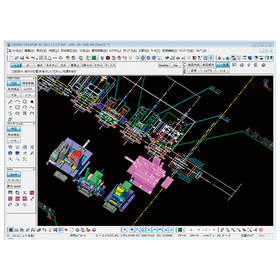
Easy and convenient design tool "DesignFreeQ"

Design FreeQ, developed by pursuing Shark's intuitive drawing capabilities to the limit.

As a design tool that can be considered pre-CAD, it easily materializes diverse ideas and serves as a bridge to CAD/CAM products, creating the beauty of design itself. The "Design Navigator" function automatically displays drawing reference points (such as endpoints, midpoints, contact points, and center points) when the pointer approaches a shape. Furthermore, as the pointer moves, auxiliary lines and extensions of shapes are displayed one after another, eliminating the need to draw many auxiliary lines before drafting. Additionally, editing of drawings can be done freely with the "Shape Editing" function and the "Mask Function," which extracts only the necessary shapes. This is a successor to the drafting board. For more details, please contact us or refer to the catalog.

Added to bookmarks

Bookmarks list

Bookmark has been removed

Bookmarks list

You can't add any more bookmarks

By registering as a member, you can increase the number of bookmarks you can save and organize them with labels.

Free membership registration

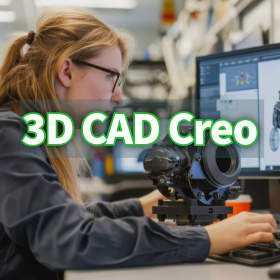
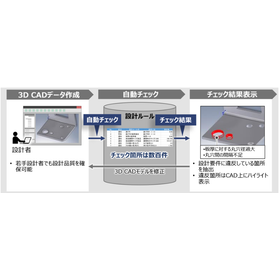
Real-time diagnosis of the design integrity of 3D CAD models.

Visualize the excess and deficiency of geometric tolerances with color! Aim for "Fully constrained."

One of the core features of the Creo GD&T Advisor Extension is the Advisor Tree and the Constraint State Legend. These are essential tools for designers to understand the integrity of the model in real-time during the process of applying GD&T. The Advisor Tree displays information, warnings, and error messages related to the applied GD&T in a hierarchical structure, pointing out design issues and violations of standards. Furthermore, the Constraint State Legend highlights the surfaces on the model with color coding to indicate whether they are "Fully constrained," "Partially constrained," or "Unconstrained" based on the tolerances. This allows for the visual identification of areas with insufficient or excessive tolerances, supporting complete and efficient tolerance design. Please check the details of the Advisor Tree, which prevents overlooking design intent, and the legend that indicates the state of tolerances with colors in the screen captures of the materials.

Added to bookmarks

Bookmarks list

Bookmark has been removed

Bookmarks list

You can't add any more bookmarks

By registering as a member, you can increase the number of bookmarks you can save and organize them with labels.

Free membership registration